App demo
Watch Mira plan lunch, Danial tick off the shopping, and both share a pin to meet up.
 Serumah
A private app for two
A shared grocery list, a calendar you both check, and a spot to leave “kopi awak dalam peti.”
RM49 once · One household · iPhone & Android
Serumah
 Masa berdua

The little things add up
The grocery list is buried in chat. The school event is on one phone. And neither of you remembers who paid the internet bill.
Put those everyday details in one shared space. Either of you can tick off the eggs, check Saturday’s plans or see what’s already been paid.
Inside the app
Follow a weekend with Mira, Danial and Alya, a sample family using Serumah.
Add items, assign tasks and tick them off from the shared Home screen. Undo if you tapped too quickly.

Mira adds eggs before work. Danial sees the list at the shop and ticks them off so nobody buys a second tray.
See family plans in one calendar and show birthdays saved in family profiles.

Danial adds lunch at Nenek’s at 12:30. Mira checks the plan before saying yes to another invite.
Record who paid and see where the household budget went.

After paying the internet bill, Mira records who paid so they can check it before paying again.
Chat, reply to a specific message, leave a note for your partner and save family moments.

Danial replies to Mira’s dinner message so she knows which plan he’s confirming.
Keep up to six children’s profiles and log growth, milestones and appointments.

Mira opens the Children tab before an appointment to check what they’ve already recorded.
Choose a different pastel theme on each phone.

Mira switches her phone to Peach Jam. Danial can keep his own theme.
Track recurring bills, due dates and who paid.

Mira paid the home internet bill. Danial can see electricity is still due on the 20th.
Set a target and see how much you’ve saved together.

Mira and Danial have set aside RM210 of the RM350 they need for Alya’s next swim term.
Keep ingredients and steps for meals you make again.

Danial saves Alya’s strawberry pancakes and Nenek’s fried rice so he can make them again.
Save ideas for later, with estimated costs and a done status.

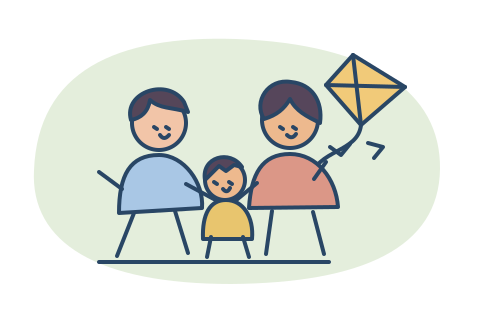
The kite is sorted for the park. An aquarium day with Alya is next on their list.
Save little stories and the funny things your kids say.

After lunch, Mira saves how Alya picked the biggest strawberry for Nenek and asked if the kite could come too.
Share your location when you choose and see your partner’s shared pin.

Mira shares a pin while she and Alya wait for Danial. He shares his too, so they can meet up.
Watch first
Watch Mira plan lunch, Danial tick off the shopping, and both share a pin to meet up.
A 48-second animated story with Mira, Danial and Alya. Turn on sound for the English narration.
First time on a computer
Unzip the file from your order confirmation, then open START HERE.md.
Open the unzipped folder in Codex or Claude Code. Paste the prompt, then follow the guided Google sign-in and Firebase setup for your two accounts.
Share your new app link with your partner. On iPhone, use Safari’s Share menu and Add to Home Screen. On Android, use Chrome’s menu and choose Install or Add to Home Screen.
After that? Open the app, sign in and add something to Groceries. Check it appears on your partner’s phone. Pick your own colours in More → Appearance.
For one household
The complete ZIP, the setup prompt and the install guide. Starts empty so you can make it yours.
RM49 one-time payment
Buy the kitPay with FPX. Your ZIP will be ready to download and sent to your email after payment.
Good to know
A computer, access to Codex or Claude Code, and two Google accounts. You’ll set up your own Firebase project and approve the steps the assistant guides you through.
The setup is designed for the two Google accounts you choose. The app stores shared records in your own Firebase project.
The ZIP is a one-time purchase. Your AI tool and Firebase are separate services. Check their plans and usage limits before enabling paid features.
Use a computer for the first setup with Codex or Claude Code. After that, both of you can open and install the app on your phones.
Yes. One can use an iPhone and the other an Android phone. Use the same family app link and sign in with the two Google accounts chosen during setup.
No. Each person signs in with their own Google account, and both use the same private family space.
Look for the Serumah email with your private download link. You can also reopen the order confirmation in the same browser within 24 hours. If you need help, contact support with your CHIP receipt reference.
See the refund policy for duplicate charges and ZIP problems.